 ailia Tech BLOG
PyannoteAudio: A Machine Learning Model for Speaker Diarization
This is an introduction to「PyannoteAudio」, a machine learning model that can be used with ailia SDK. You can easily use this model to create AI applications using ailia SDK as well as many other ready-to-use ailia MODELS.
Overview
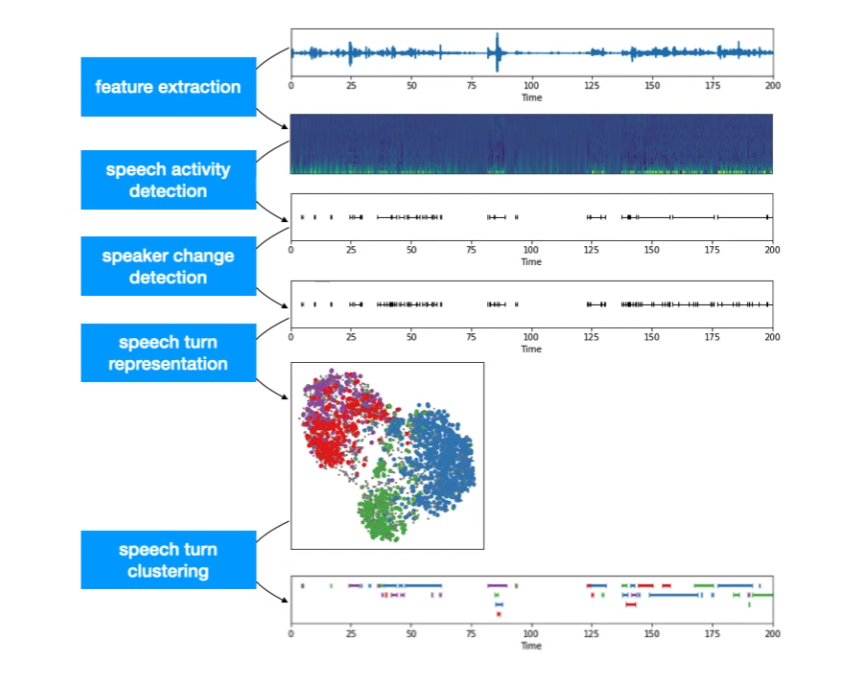
Speaker diarisation (or diarization) is the process of partitioning an audio stream containing human speech into homogeneous segments according to the identity of each speaker. PyannoteAudio can output the speaker’s ID for each time segment, indicating who is speaking.
Source: https://www.youtube.com/watch?v=37R_R82lfwA
Architecture
I am going to summarize the information contained in the blog below in a very succinct list of steps.
One speaker segmentation model to rule them allCNRS / IRIT / SAMoVAherve.niderb.fr
We have an input waveform.

Source: https://herve.niderb.fr/fastpages/2022/10/23/One-speaker-segmentation-model-to-rule-them-all
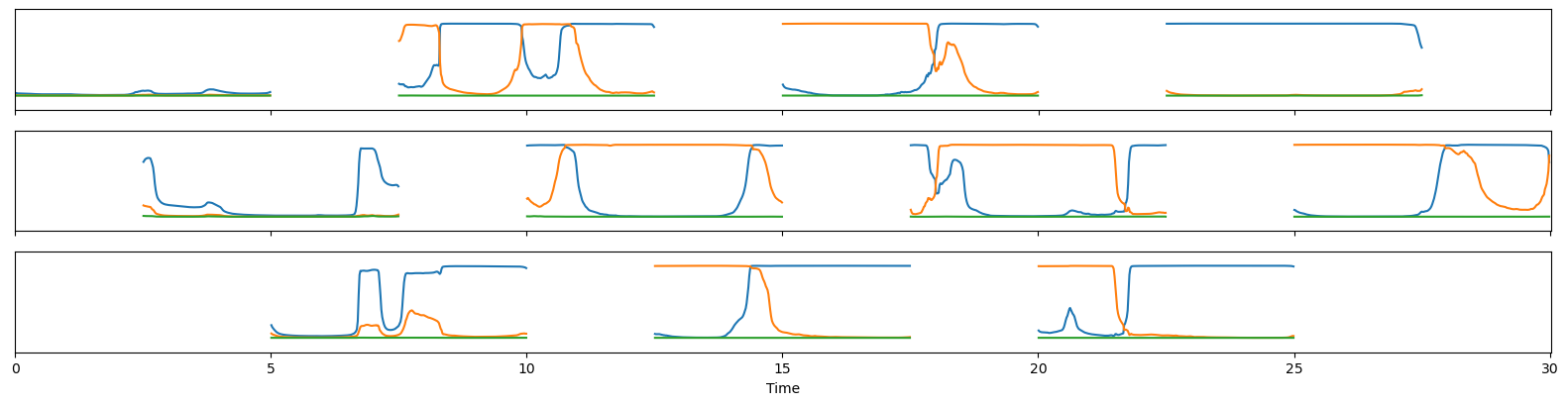
A segmentation model outputs the probability values of conversations for three speakers.

Source: https://herve.niderb.fr/fastpages/2022/10/23/One-speaker-segmentation-model-to-rule-them-all
Based on the probability values, binary conversion is performed, and IDs are assigned to the conversations.

Source: https://herve.niderb.fr/fastpages/2022/10/23/One-speaker-segmentation-model-to-rule-them-all
For long audio files, a 5-second sliding window is used to calculate the probability values on each segment, and then combine the results.
Source: https://herve.niderb.fr/fastpages/2022/10/23/One-speaker-segmentation-model-to-rule-them-all
Additionally, by using the speaker-embedding model, embeddings can be calculated from the audio to identify the same person.
Usage
PyannoteAudio can be used with ailia SDK using the following command.
python pyannote-audio.py -i ./data/sample.wav
Here is what the output looks like.

[ 00:00:06.714 -->  00:00:07.003] A speaker91
[ 00:00:07.003 -->  00:00:07.173] B speaker90
[ 00:00:07.580 -->  00:00:08.310] C speaker91
[ 00:00:08.310 -->  00:00:09.923] D speaker90
[ 00:00:09.923 -->  00:00:10.976] E speaker91
[ 00:00:10.466 -->  00:00:14.745] F speaker90
[ 00:00:14.303 -->  00:00:17.886] G speaker91
[ 00:00:18.022 -->  00:00:21.502] H speaker90
[ 00:00:18.157 -->  00:00:18.446] I speaker91
[ 00:00:21.774 -->  00:00:28.531] J speaker91
[ 00:00:27.886 -->  00:00:29.991] K speaker90
ailia Inc. has developed ailia SDK, which enables cross-platform, GPU-based rapid inference.
ailia Inc. provides a wide range of services from consulting and model creation, to the development of AI-based applications and SDKs. Feel free to contact us for any inquiry.