 ailia Tech BLOG
Generating High-Quality Images with SDXL
This article explains how to generate high-quality images using SDXL, the latest model of Stable Diffusion.
Overview
SDXL 1.0 and its improved variant SDXL Turbo are the latest image generation models developed by stability.ai.
Compared to StableDiffusion 1.5 (aka. SD 1.5), SDXL utilizes a UNet backbone with three times the parameters, increases the latent space resolution from 64x64 to 128x128, and expands the generated image resolution from 512x512 to 1024x1024.
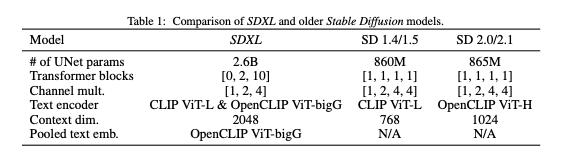
SDXL specifications (Source: https://arxiv.org/pdf/2307.01952.pdf)
Subjective quality has significantly improved in SDXL compared to SD1.5.
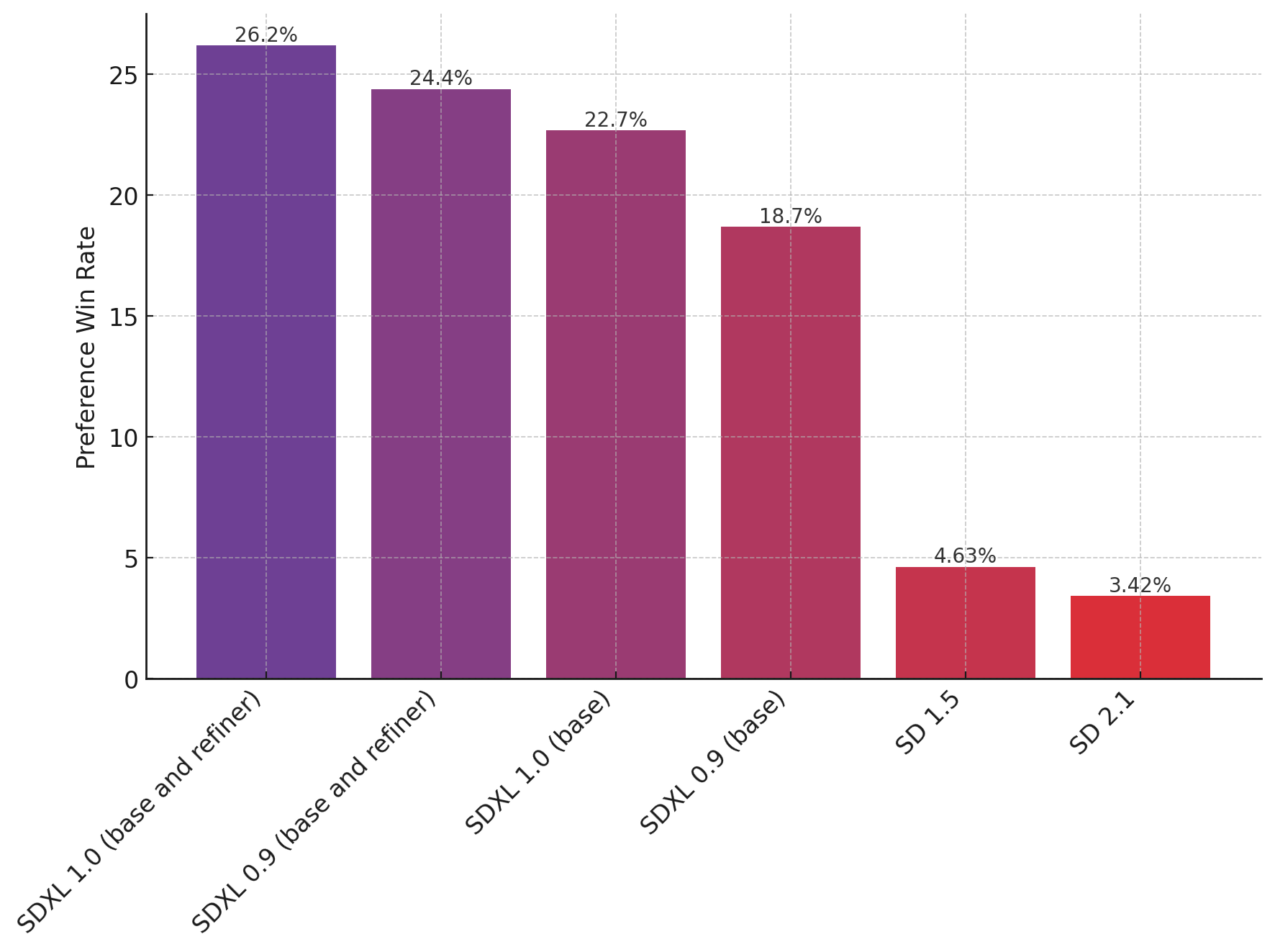
SDXL subjective quality evaluation (Source: https://huggingface.co/stabilityai/stable-diffusion-xl-base-1.0)
SDXL consists of two models: a base model and a refiner model. The base model can be used standalone, but adding a pass of the refiner model and even an additional VAE to improve the image quality.
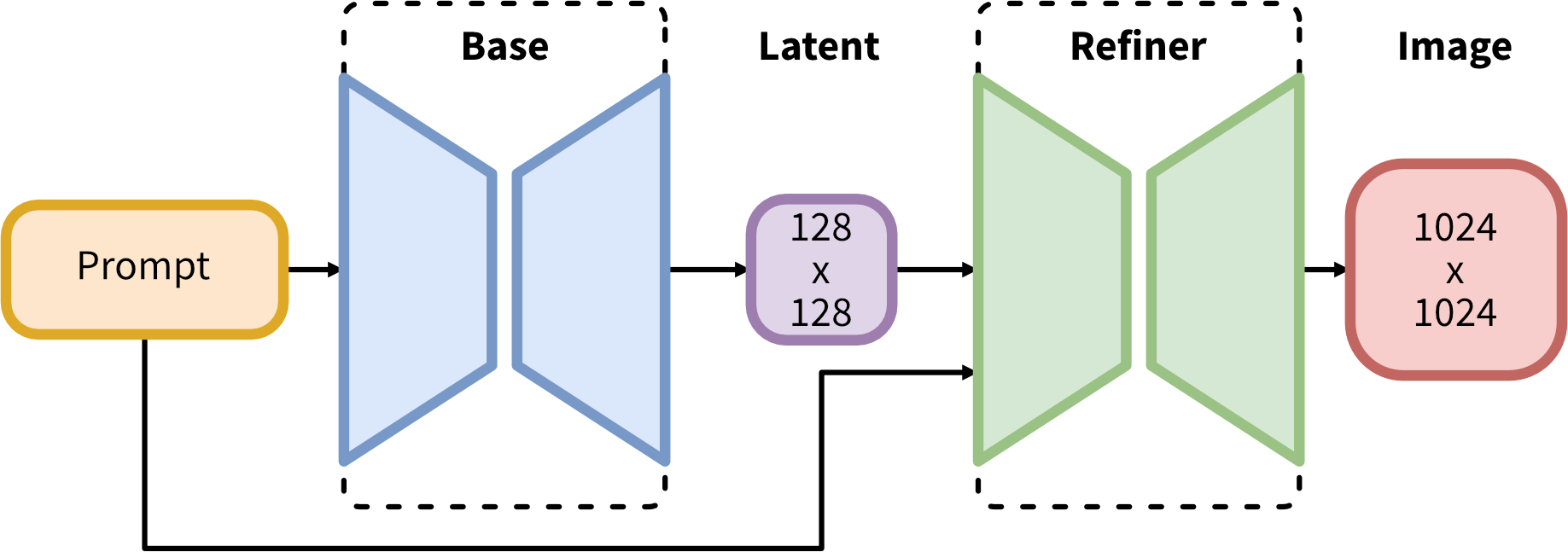
SDXL architecture (Source: https://huggingface.co/stabilityai/stable-diffusion-xl-base-1.0)
How to use SDXL from StableDiffusionWebUI
We already made an article on how to get started with SD1.5 in StableDiffusionWebUI available at the link below:
To use SDXL, perform a git pull to update to the latest version, 1.7.0 at the time of writing.
Usage of the base model
Download sd_xl_base_1.0.safetensors from Hugging Face and place it in the models/Stable-diffusion directory. Its size is 6.7GB, which is larger than the 4.1GB of StableDiffusion 1.5.
Select the model sd_xl_base_1.0.safetensorsin the web interface model list, set the output resolution to 1024, and the VAE toNone in the Settings if you had one set previously.
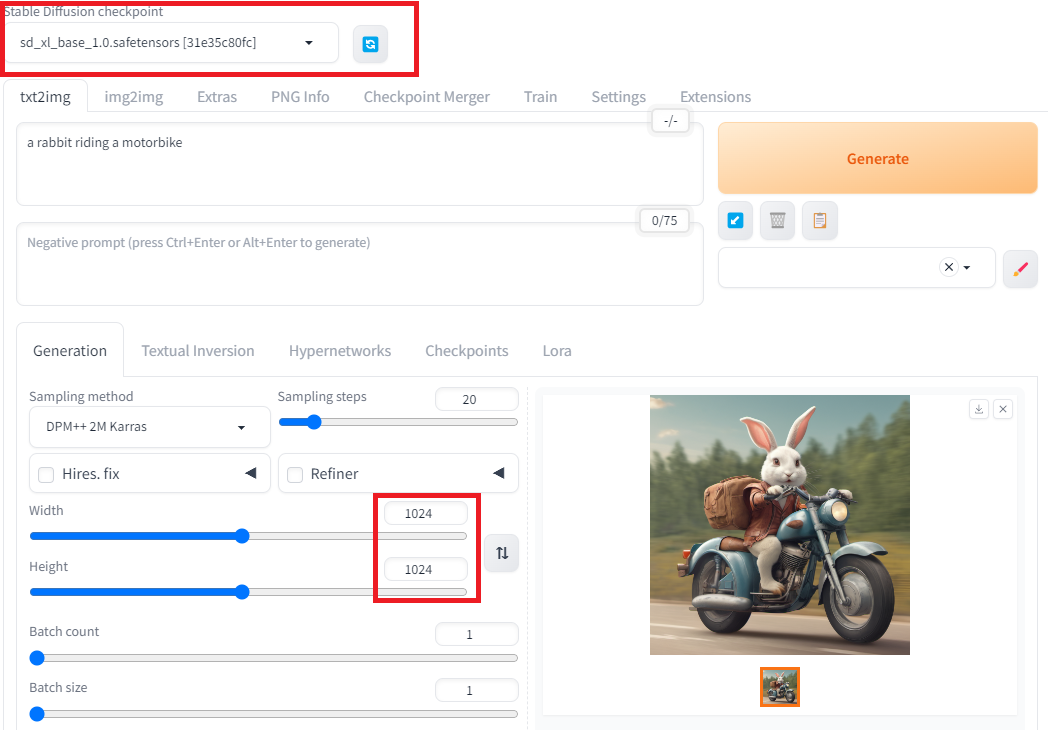

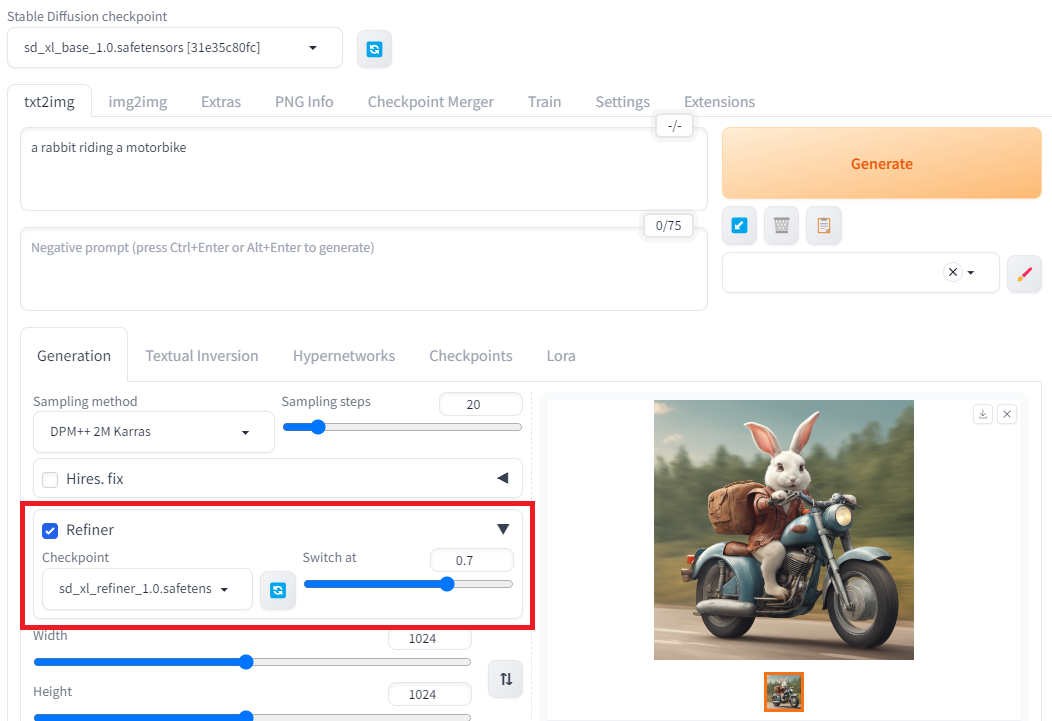
Result for prompt “a rabbit riding a motorbike”, seed 1937406479
Usage of the refiner model
Similarly to what we just did for the base model, download sd_xl_refiner_1.0.safetensors from Hugging Face and place it in the models/Stable-diffusion directory.
It’s really easy in the latest versions of Stable Diffusion WebUI without any extension with the built-in panel below. Select the downloaded model and set at which point you want the model to be switched to the refiner model.
Further refine with VAE
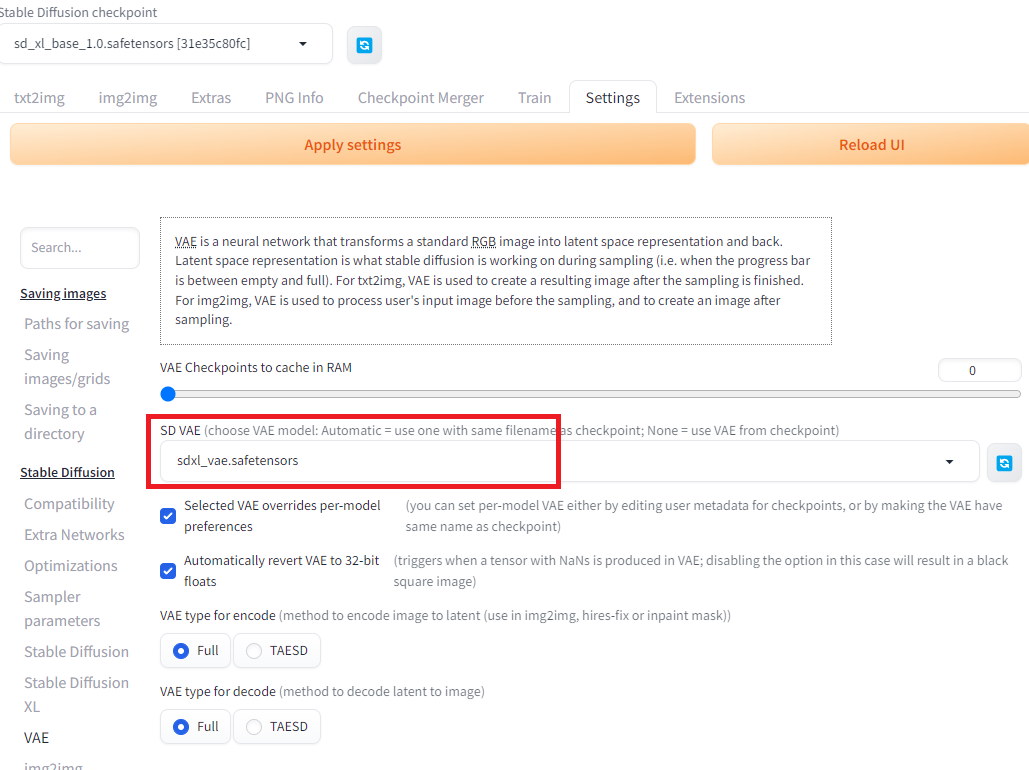
Finally you can also try to use the dedicated SDXL VAE from the link below, copy the file in the models/VAE folder and select it in the VAE settings.
Troubleshooting
If you are trying to run SDXL on a GPU with less than 12GB of memory, you’ll probably encounter a CUDA Out of memory error.
In this case you can try to edit the file webui-user.bat and add the following parameters.
set COMMANDLINE_ARGS=--xformers --reinstall-xformers --medvram
Note that xformers, which greatly improves memory consumption, only works on NVidia GPUs. If you still get the exception you can try further limitation by switching --medvram with--lowvram.
See stable-diffusion-webui parameter list for further details.
Create LoRA models based on SDXL
We described in a previous article what is a LoRA (Low-Rank Adaptation of Large Language Models) and how to create them.
Below is a tutorial on how to do something similar using the Kohya’s GUI we used in the article above based on SDXL models.
ailia Inc. has developed ailia SDK, which enables cross-platform, GPU-based rapid inference.
ailia Inc. provides a wide range of services from consulting and model creation, to the development of AI-based applications and SDKs. Feel free to contact us for any inquiry.