 ailia Tech BLOG
Generate images with custom poses using StableDiffusionWebUI and ControlNet
This article explains how to generate images with custom character postures using StableDiffusionWebUI for the image creation, and ControlNet for the constraint management.
About StableDiffusion and ControlNet
StableDiffusion is an AI model that can generate illustrations from an arbitrary text prompt. Various extensions have been made to StableDiffusion by the community, and ControlNet is one of them which can be used to force custom poses for characters in the generated image.
About StableDiffusionWebUI
StableDiffusionWebUI is a web front-end that allows you to easily use StableDiffusion on PC. It can be used by running the following commands on a Windows PC with an NVIDIA RTX series GPU, with Git and Python installed.
git clone https://github.com/AUTOMATIC1111/stable-diffusion-webui.git
cd .\stable-diffusion-webui\
.\webui-user.bat
After that simply open the given URL in your web browser.
Model loaded in 9.5s (calculate hash: 3.5s, load weights from disk: 0.1s, create model: 2.9s, apply weights to model: 0.7s, apply half(): 0.6s, move model to device: 1.0s, load textual inversion embeddings: 0.7s).
Running on local URL:  http://127.0.0.1:7860
In the web UI, open the txt2img tab, enter the text prompt and press Generate to create the image.
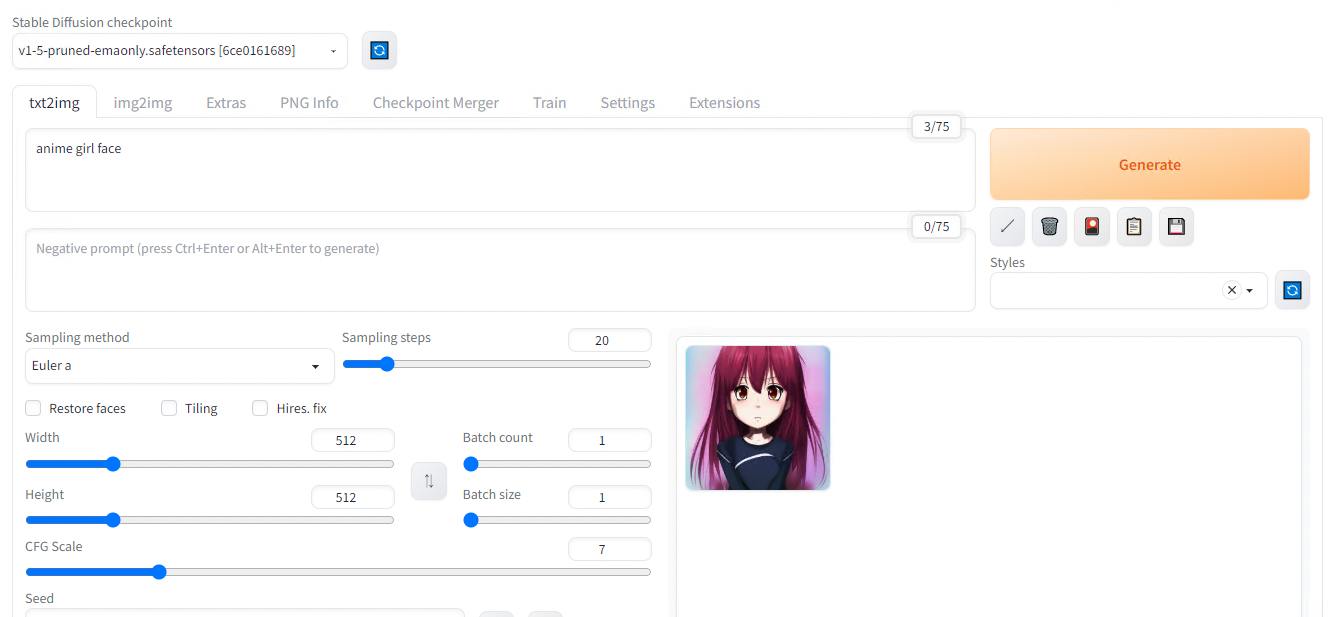
Result with default parameters for the prompt “anime girl face”
Use of different models
StableDiffusion has lots of model variants. The model files are in safetensors format and can be downloaded and placed in the models folder for use.
As a first example, download Basil_mix_fixed.safetensors and place it in \stable-diffusion-webui\models\Stable-diffusion. This model file is fine-tuned with realistic texture and Asian faces.
Next, place vae-ft-mse-840000-ema-pruned.safetensors into \stable-diffusion-webui\models\VAE. Variational autoencoder (VAE) is a post-processing technique that can be used to improve the quality of images you generate with StableDiffusion. sd-vae-ft-mse-original is a popular option to correct artefacts on generated face.
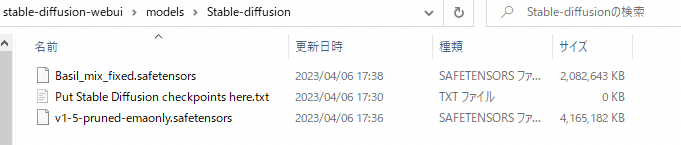
Custom model files
Once the model files has been placed, the downloaded model can be used by pressing the refresh mark in the upper left corner of the web UI to select the model from the list box.
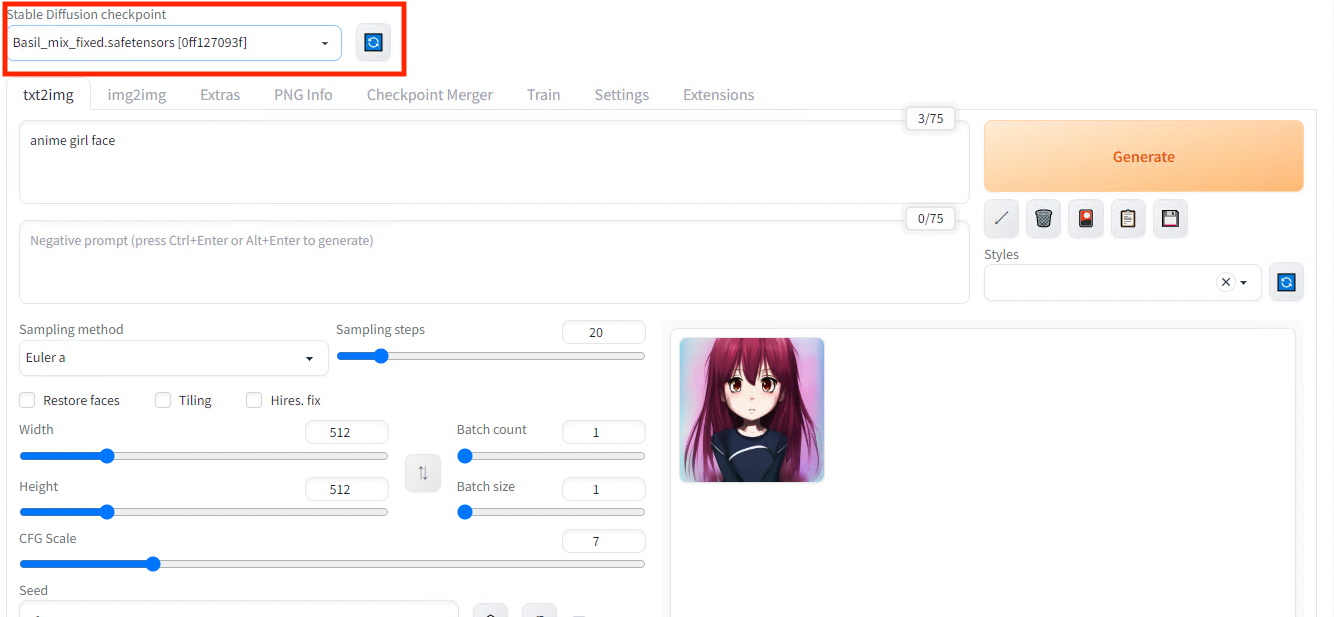
Model selection
The VAE model is selected in the settings under in theVAE category.
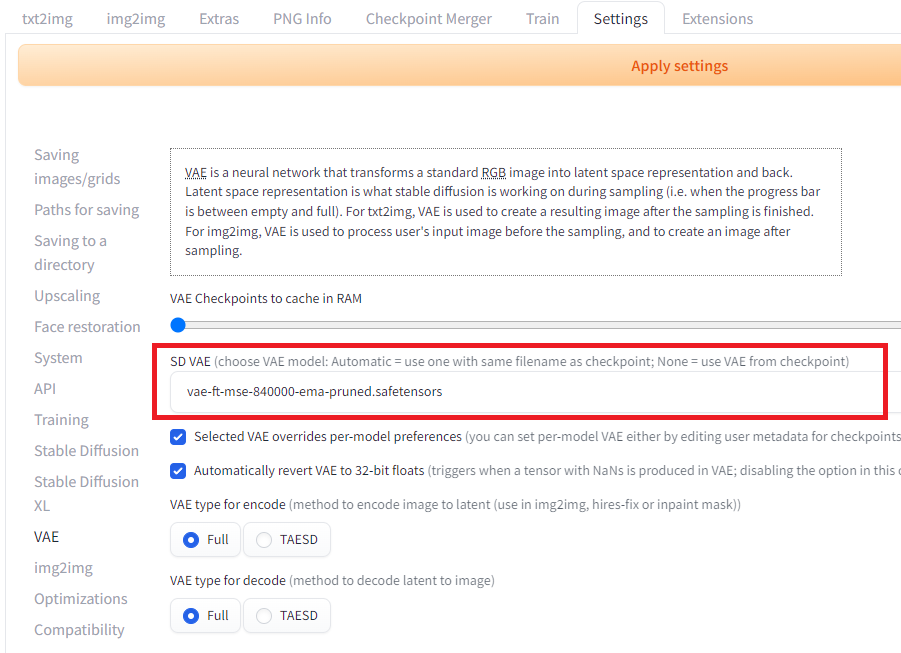
VAE selection
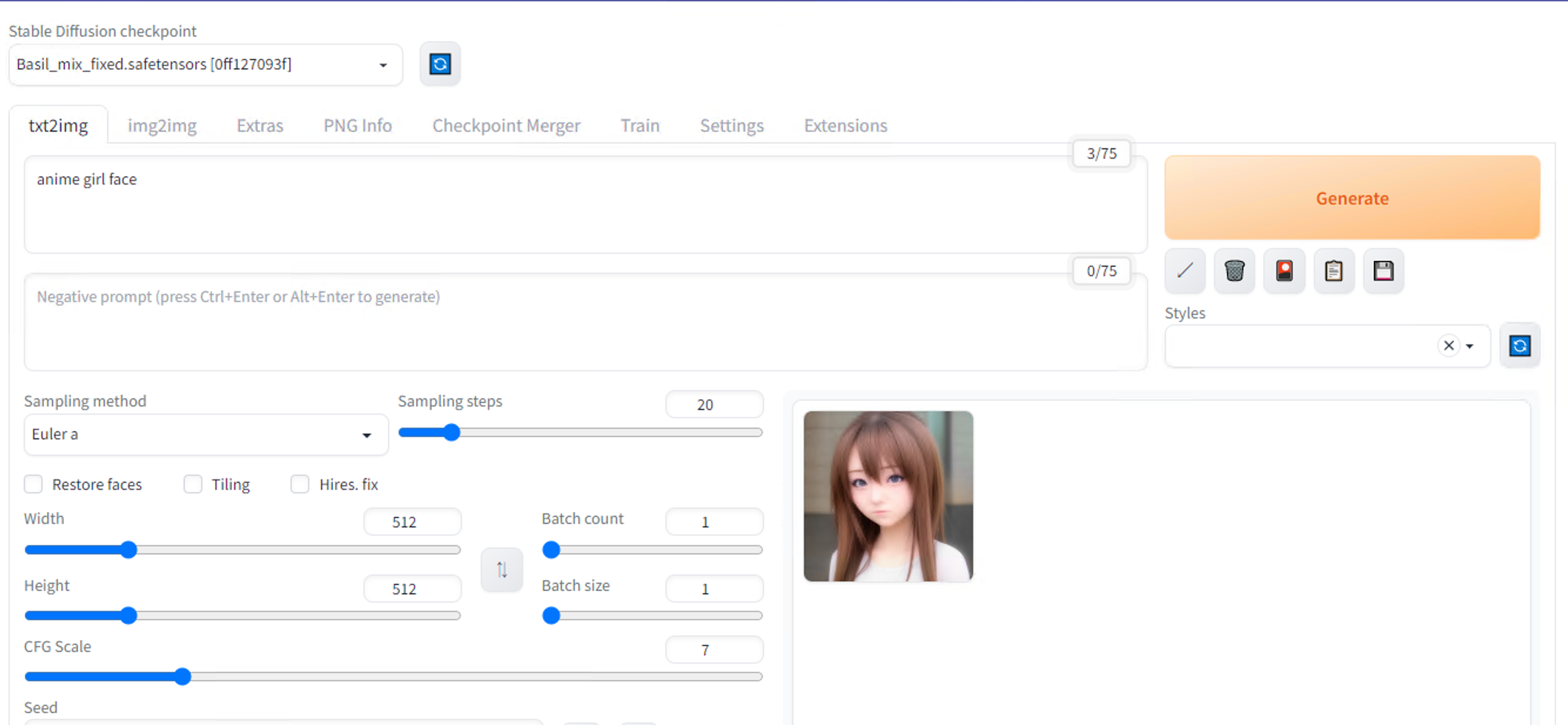
Result with custom parameters for the prompt “anime girl face”
Installation of ControlNet
With standard StableDiffusion, you can only control the output of illustrations with text. ControlNet allows you to control the output of your illustrations using skeletons, line drawings, and segmentation.
ControlNet can be installed as a plug-in to StableDiffusionWebUI. Install the extensions by specifying https://github.com/Mikubill/sd-webui-controlnet in the Install from URL textbox.
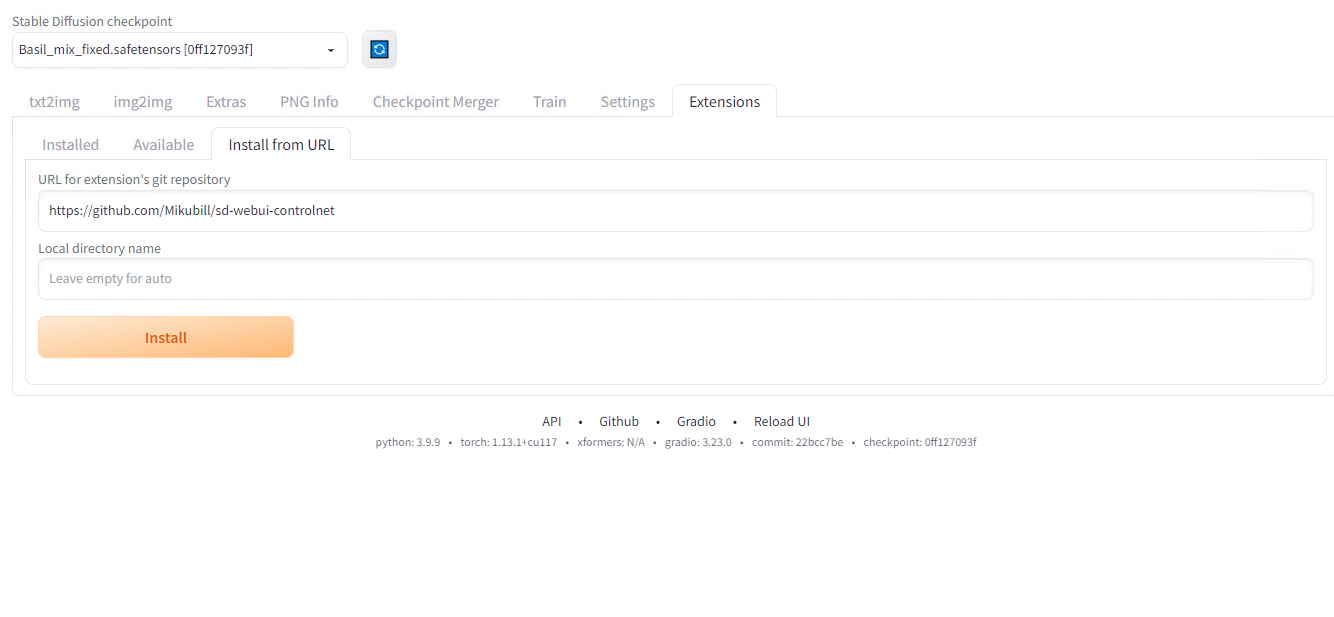
Installation of ControlNet
After installation, press Apply and restart UI.
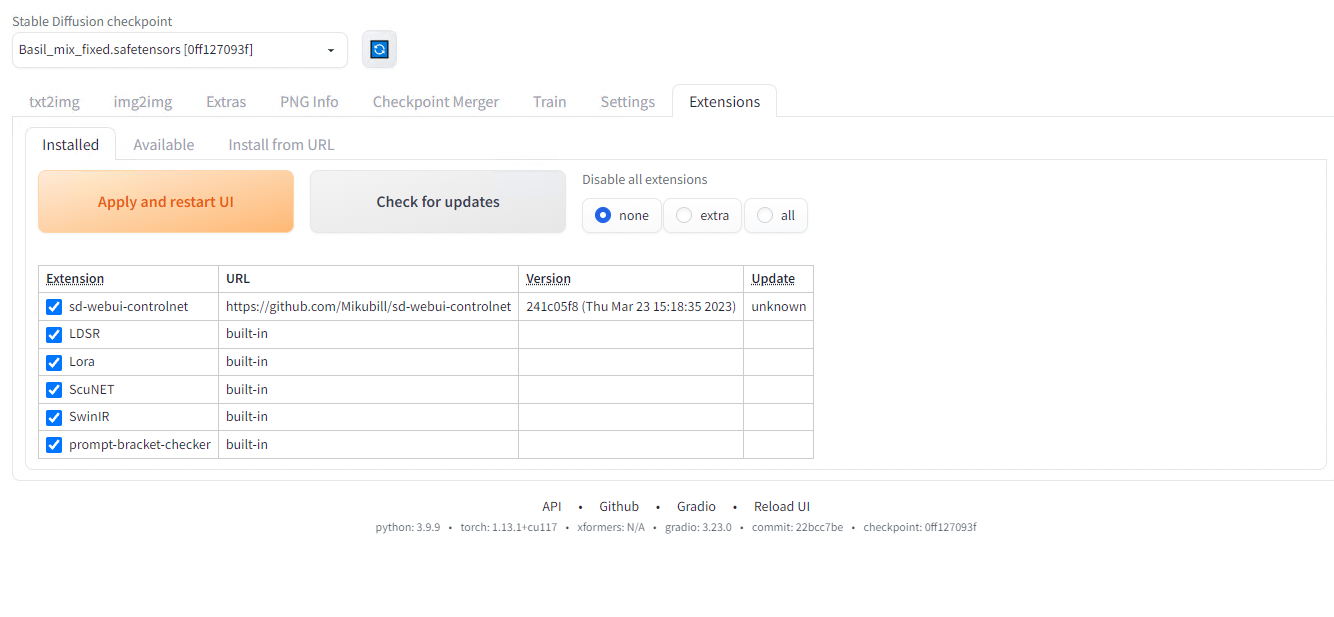
After restart
A new set of parameters is available inthe txt2img interface.
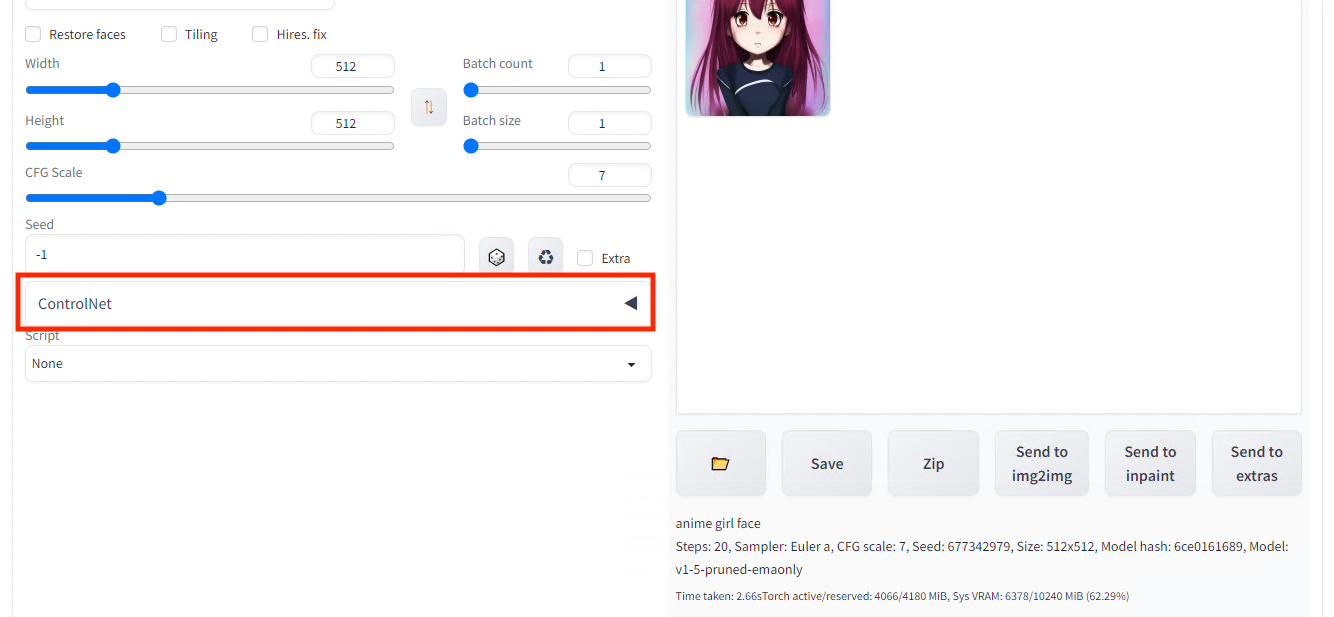
ControlNet settings
Next, download the model filecontrol_openpose-fp16.safetensors and place it in \stable-diffusion-webui\models\ControlNet in order to constraint the generated image with a pose estimation inference result.

ControlNet custom model file
Return to the web UI and open the ControlNet tab, check Enable and specify OpenPose as preprocessor. Upload any image and press Preview Annotate Result.
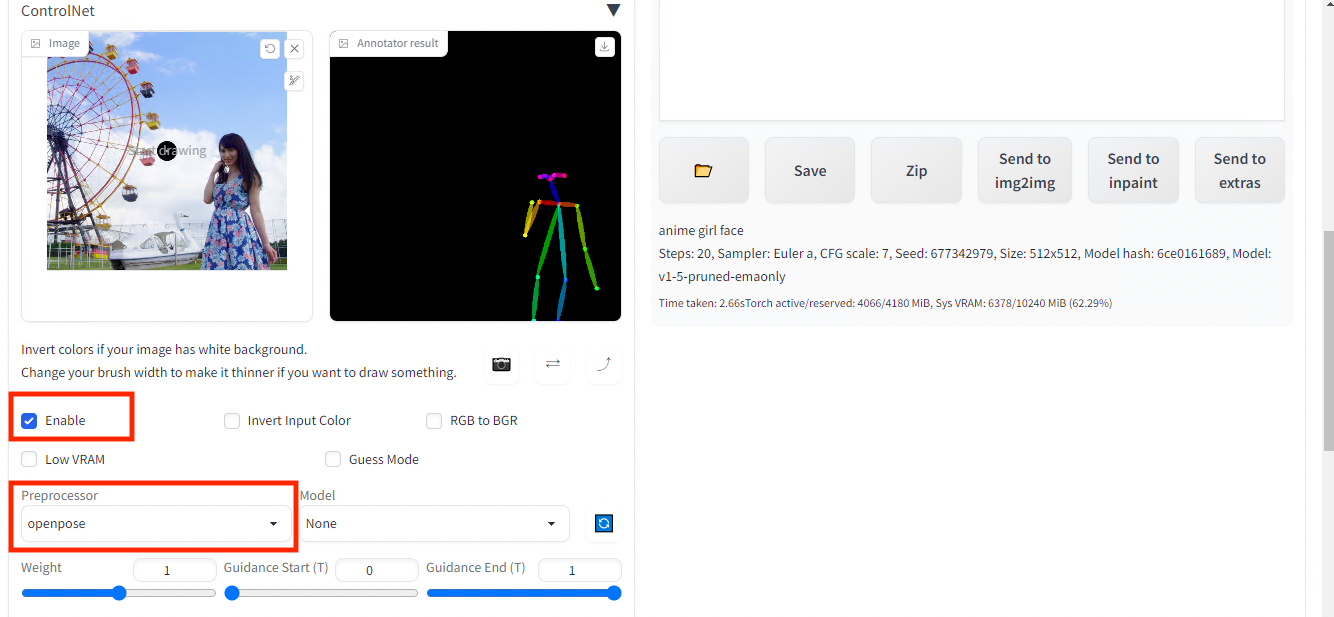
Pose estimation result (right) of the input image (left)
Once you have successfully estimated the skeleton, set the model tocontrol_sd15_openpose . If the model does not appear, press the blue reload button.
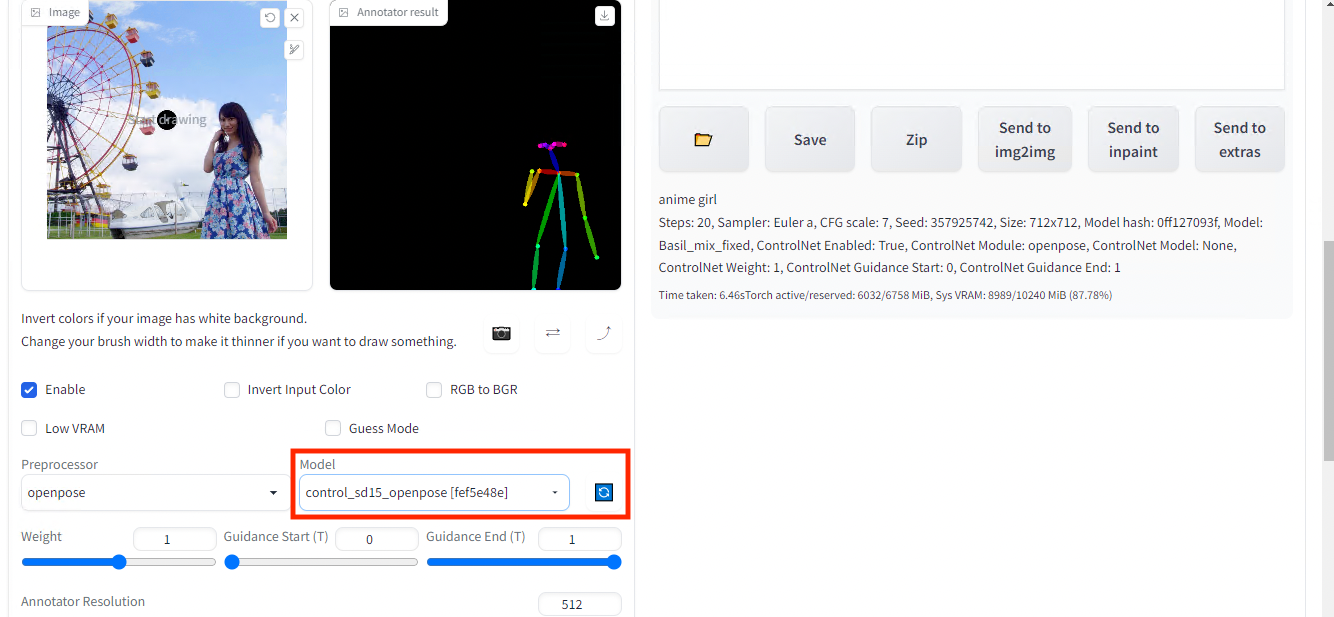
Set the custom model
Press Generate.
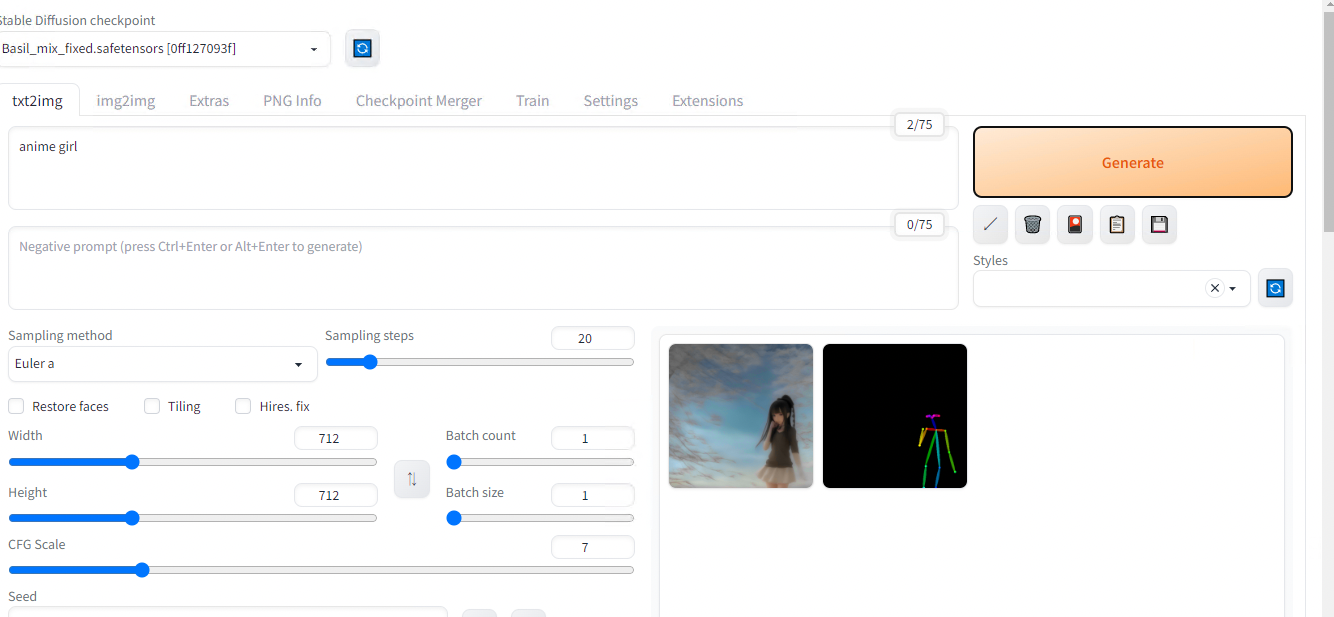
Image generated based on the previous pose estimation result
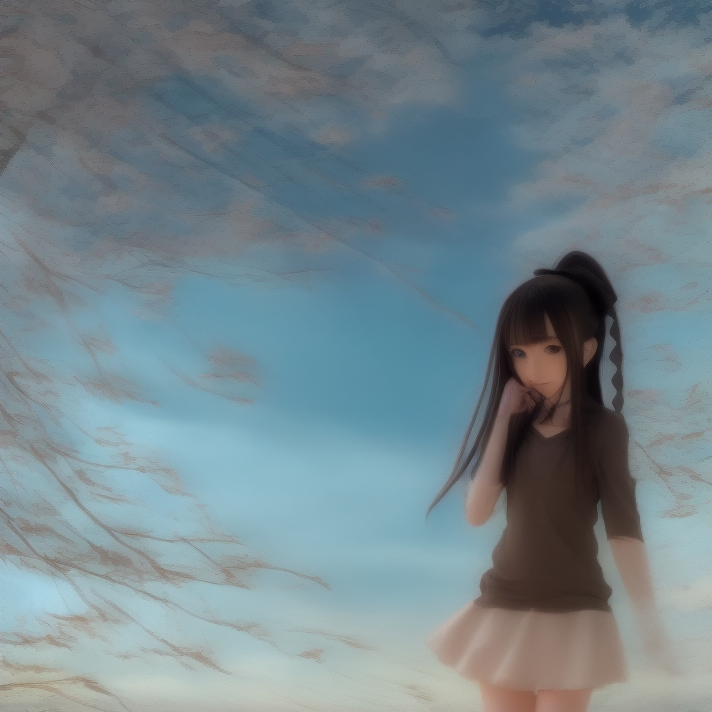
Result for text prompt “anime girl” + ControlNet Pose Estimation
Constraint by Segmentation
Because segmentation usually contains more information than a simple pose estimation result, let’s contraint our image generation with it.
Same as before, download the model control_seg-fp16.safetensors and place it in \stable-diffusion-webui\models\ControlNet.
Set segmentation for preprocessor and control_seg-fp16 for model.
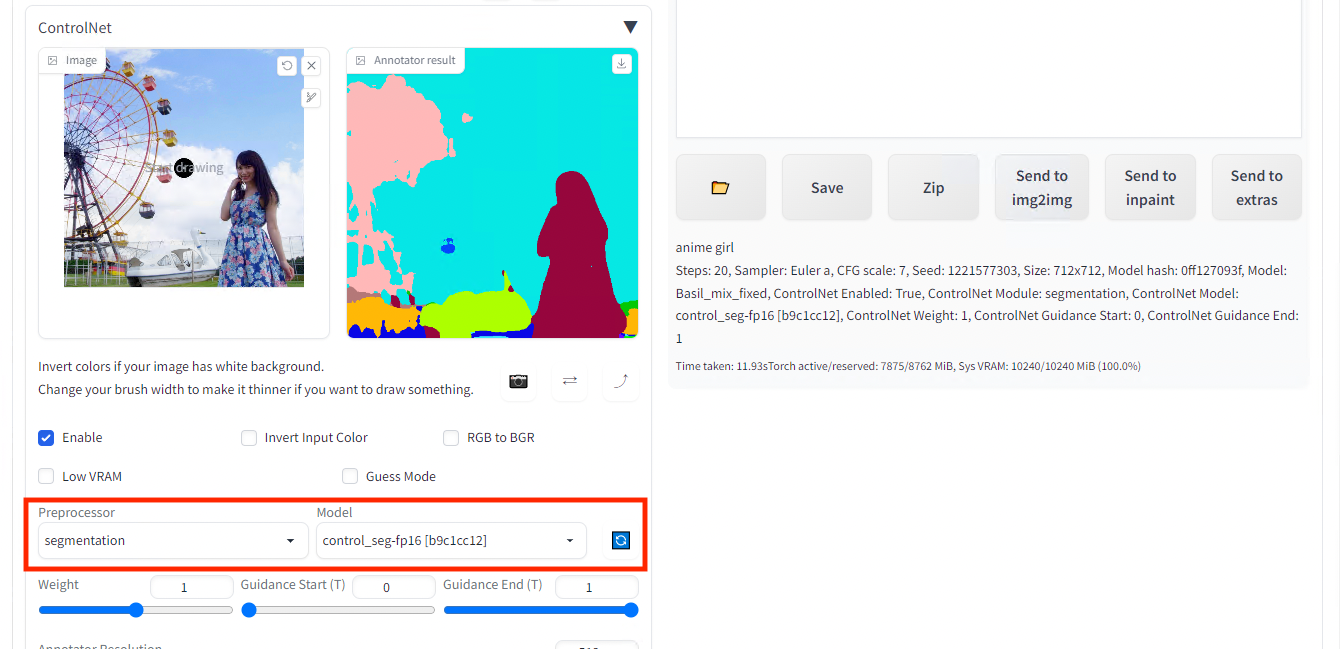
Input image (left) and the segmentation result (right)
Then generate.
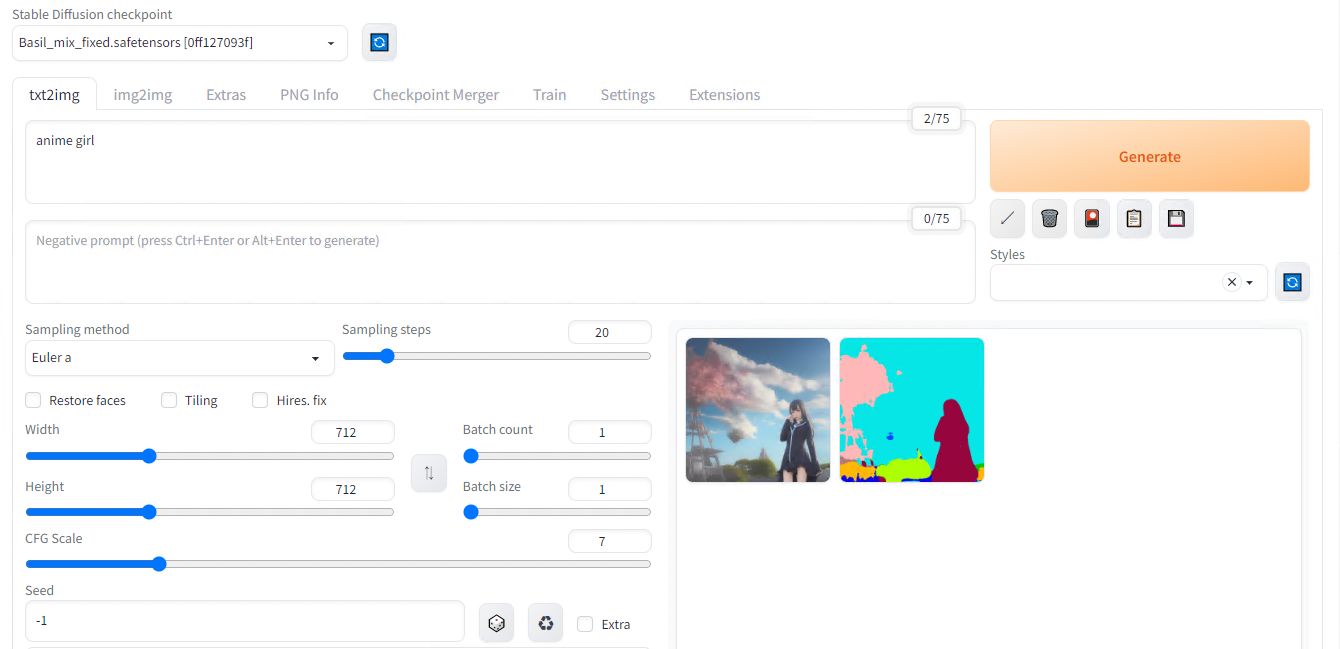
Image generated based on the previous segmentation result
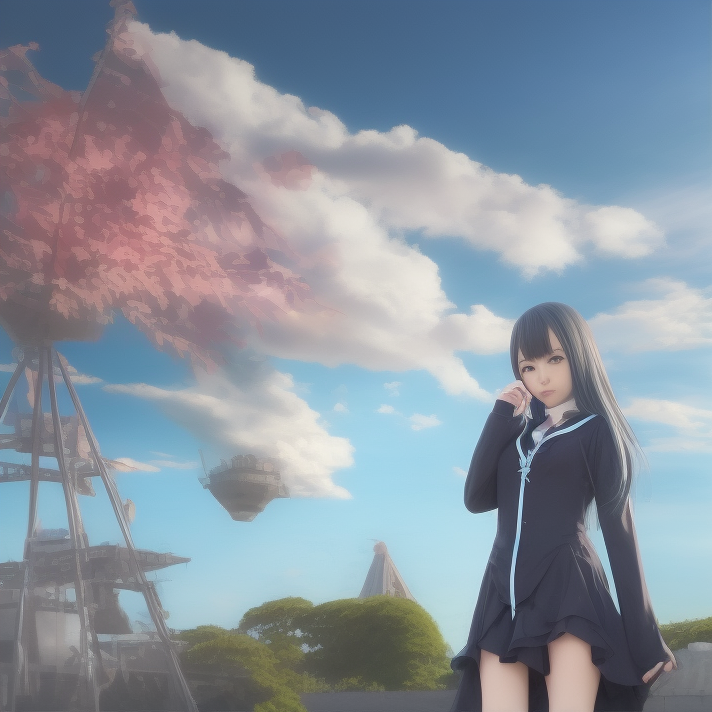
Result for text prompt “anime girl” + ControlNet Segmentation
How ControlNet Works
ControlNet source code and papers can be found below.
ControlNet provides a way to further train StableDiffusion’s middle layers based on input constraints.
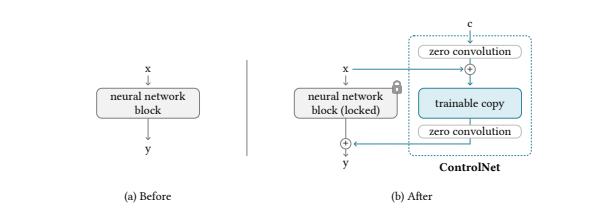
ControlNet Architecture (Source: https://arxiv.org/pdf/2302.05543.pdf)
The weights of the StableDiffusion layer are fixed (or “locked”), and a layer called ZeroConvolution, with a kernel size of 1x1, weight=0, and bias=0, is sandwiched between the StableDiffusion layer, which initially starts in exactly the same state as the StableDiffusion layer.
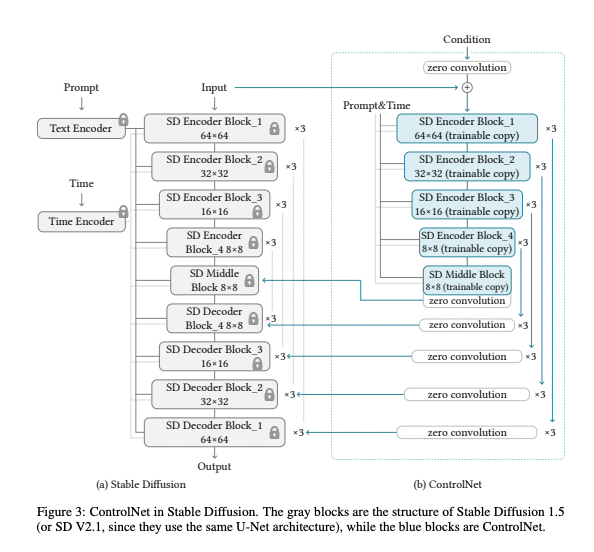
ControlNet Architecture (Source: https://arxiv.org/pdf/2302.05543.pdf)
The ZeroConvolution is trained using back propagation and evolves to a regular 1x1 Convolution, making it efficient for small datasets.
In this approach called Adapter, the weights of the base model are kept fixed (unchanged), and only the differences in the feature vectors (the representations of the input data) are learned. This is a form of fine-tuning, where you take a pre-trained model (the base model) and slightly adjust it for a specific task or dataset. This method is considered effective because it allows for the customization of a model without the need to retrain it entirely, which saves resources and time.
ControlNet can be applied to models other than the standard StableDiffusion weights (such as the BasilMix model we downloaded earlier) and still produce normal output.
ailia Inc. has developed ailia SDK, which enables cross-platform, GPU-based rapid inference.
ailia Inc. provides a wide range of services from consulting and model creation, to the development of AI-based applications and SDKs. Feel free to contact us for any inquiry.