 ailia Tech BLOG
ailia SDK on JetsonNano and ChromeBook
The article explains how to run ailia SDK on JetsonNano and ChromeBook. ailia SDK allows you to perform cross-platform deep learning inference. MOre details about ailia SDK can be found here.

JetsonNano
ailia SDK 1.2.3 and later
We have added details about the setup procedure in Jetson to the following tutorials.
For ailia SDK 1.2.3
JetsonNano can run Jetson binaries from the ailia SDK. It can perform GPU inference directly from ONNX format and use the wide variety of models available in ailia-models.
Jetson binaries are included in library/experimental/jetson with ailia SDK 1.2.1 or later. The following tutorial is for Ubuntu 18.04 LTS.
First, you need to download ailia SDK.
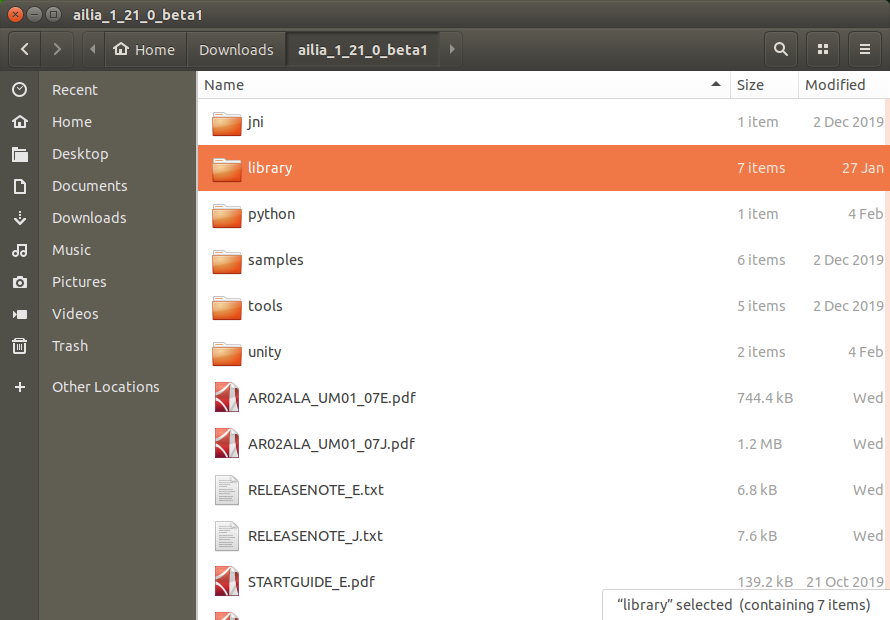
Copy the files from python/ailia to /usr/local/lib/python3.6/dist-packages , then the files library/experimental/jetson/libailia.so, library/experimental/jetson/libailia_pose_estimate.so and library/experimental/jetson/libailia_cuda.so to /usr/local/lib/python3.6/dist-packages/ailia.
cd ailia_sdk_1_21
sudo cp -r python/ailia /usr/local/lib/python3.6/dist-packages
sudo cp library/experimental/jetson/libailia.so /usr/local/lib/python3.6/dist-packages/ailia
sudo cp library/experimental/jetson/libailia_pose_estimate.so /usr/local/lib/python3.6/dist-packages/ailia
sudo cp library/experimental/jetson/libailia_cuda.so /usr/local/lib/python3.6/dist-packages/ailia
If dist-packages does not exist, use the following command to check the path.
python3 -c “import site; print (site.getsitepackages())”
Grant execute permission to the ailia folder.
sudo chmod 757 /usr/local/lib/python3.6/dist-packages/ailia
opencv-python is preinstalled.
You can install numpy via apt.
sudo apt install python3-numpy
Run samples/models/download_model.sh to download the model. Install curl, which is required for the download.
sudo apt install curl
Download the models.
cd samples/models
chmod +x download_model.sh
./download_model.sh
Run the samples.
cd ../../samples/python
python3 ailia_classifier.py
You should get the inference results below.
class_count=3
+ idx=0
 category=409[ analog clock ]
 prob=0.7738379836082458
+ idx=1
 category=892[ wall clock ]
 prob=0.1796753704547882
+ idx=2
 category=826[ stopwatch, stop watch ]
 prob=0.03009628877043724
This inference was performed on CPU.
To use faster GPU inference with cuDNN, copy library/experimental/jetson/libailia_cuda.so to the samples/python folder.
cp library/experimental/jetson/libailia_cuda.so samples/python
Enumerate the inference environments.
python3 ailia_environment.py
If cuDNN is available, the following will be listed:
env[1]=Environment(id=1, type=’GPU’, name=’cuDNN-NVIDIA Tegra X1 (5.3)’, backend=’CUDA’, props=’NORMAL’)
In this state, run ailia_classifier.py for fast GPU inference using cuDNN.
ChromeBook
ChromeBook (Intel CPU) can run Linux binaries of ailia SDK. ailia SDK on ChromeBook can be used for educational purposes as well as for deep learning.
First, follow the official instructions to enable Linux mode.
Download the ailia SDK and copy the contents to a Linux file.
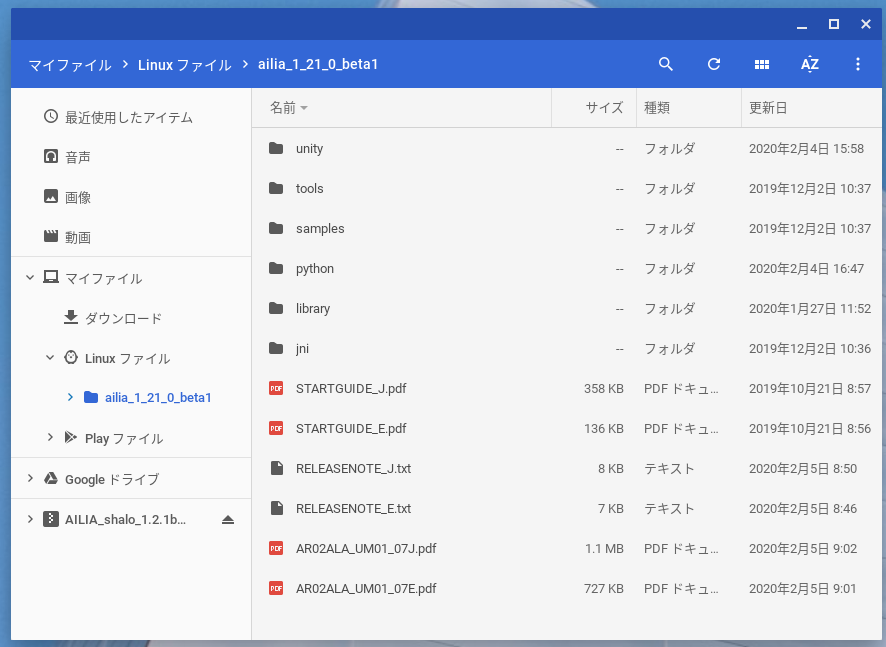
Copy the files from python/ailia to /usr/local/lib/python3.5/dist-packages , then the files library/linux/libailia.so and library/linux/libailia_pose_estimate.so to /usr/local/lib/python3.5/dist-packages/ailia.
cd ailia_sdk_1_21
sudo cp -r python/ailia /usr/local/lib/python3.5/dist-packages
sudo cp library/linux/libailia.so /usr/local/lib/python3.5/dist-packages/ailia
sudo cp library/linux/libailia_pose_estimate.so /usr/local/lib/python3.5/dist-packages/ailia
Grant execution permission to the ailia folder.
sudo chmod 755 /usr/local/lib/python3.5/dist-packages/ailia
The ChromeBook comes with Python 3.5 installed by default, but pip is not installed, so we will install it using the following command.
curl -O https://bootstrap.pypa.io/get-pip.py
sudo python3 get-pip.py
Install the necessary dependencies.
pip3 install opencv-python numpy
Run samples/models/download_model.sh to download the model.
cd samples/models
chmod +x download_model.sh
./download_model.sh
Run the ailia SDK sample.
cd ../../samples/python
python3 ailia_classifier.py
You should get the inference results below.
class_count=3
+ idx=0
 category=409[ analog clock ]
 prob=0.7738379836082458
+ idx=1
 category=892[ wall clock ]
 prob=0.1796753704547882
+ idx=2
 category=826[ stopwatch, stop watch ]
 prob=0.03009628877043724
Currently, only CPU mode inference can be executed on ChromeBook. We are planning to add GPU support in the future when ChromeOS supports Vulkan and OpenCL.
ailia Inc. has developed ailia SDK, which enables cross-platform, GPU-based rapid inference.
ailia Inc. provides a wide range of services from consulting and model creation, to the development of AI-based applications and SDKs. Feel free to contact us for any inquiry.